Screens for cannabis brands
Menu boards that keep up with your inventory.
Dispensary menus change daily — your screens should too. Edit strains, prices, and specials from your phone and every board in the shop updates in seconds. No printed menus, no player boxes, no vendor who gets nervous about the word “cannabis.”
What it replaces
🖨️
The daily menu reprint
Printed menus die the moment a strain sells out. A board is never wrong for longer than it takes to tap Save.
📋
The clipboard queue
A check-in kiosk at the door keeps the line orderly and compliant — have your ID ready, we’ll call you up.
😬
Signage vendors who flinch
Mainstream signage companies get cagey about cannabis. We build for this industry on purpose — CannaPulse is ours.
Production example
Screenshots showing how a dispensary uses Screens for strain boards, a door check-in queue, and an after-hours window.
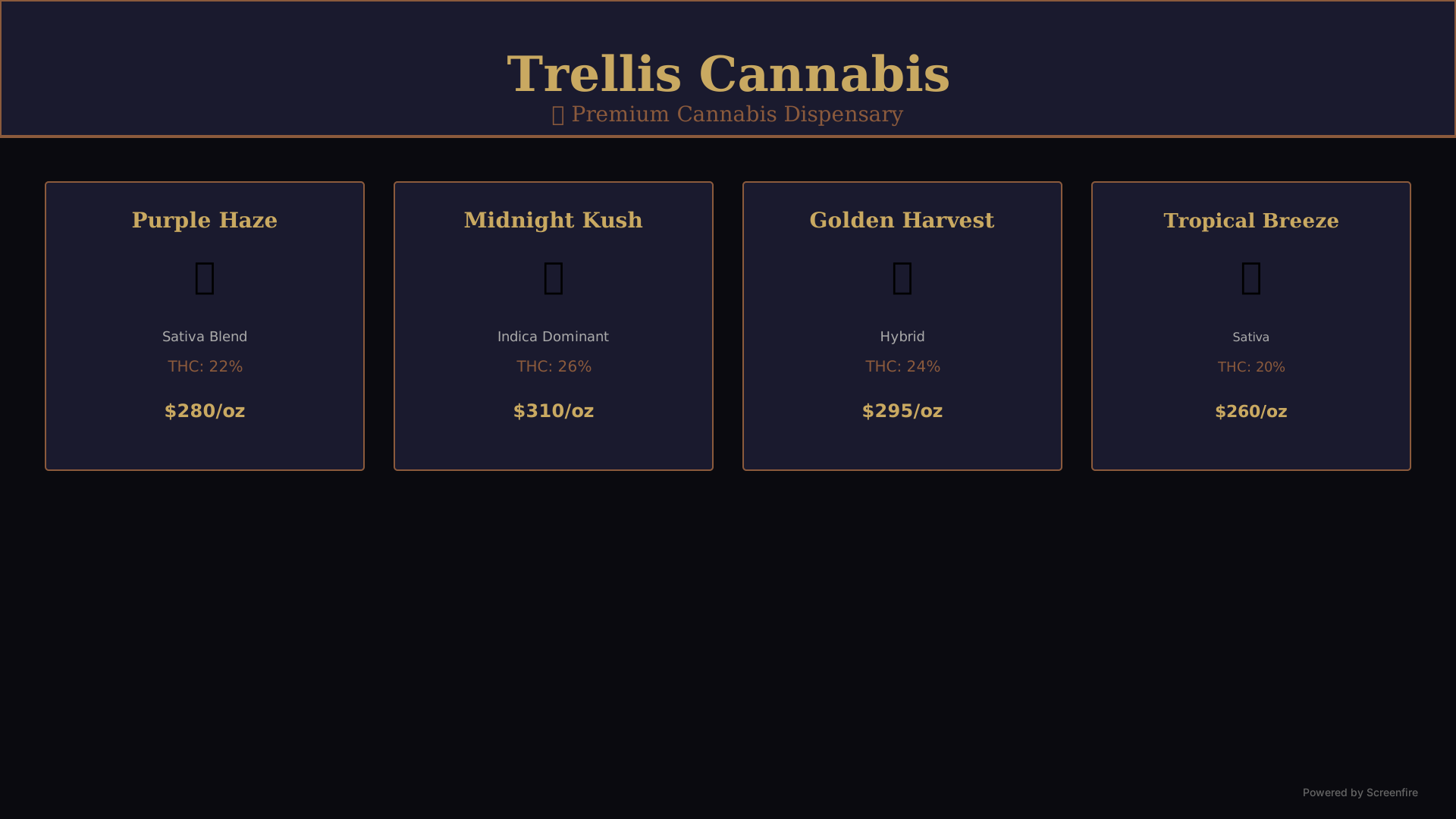
Trellis Cannabis
menu board
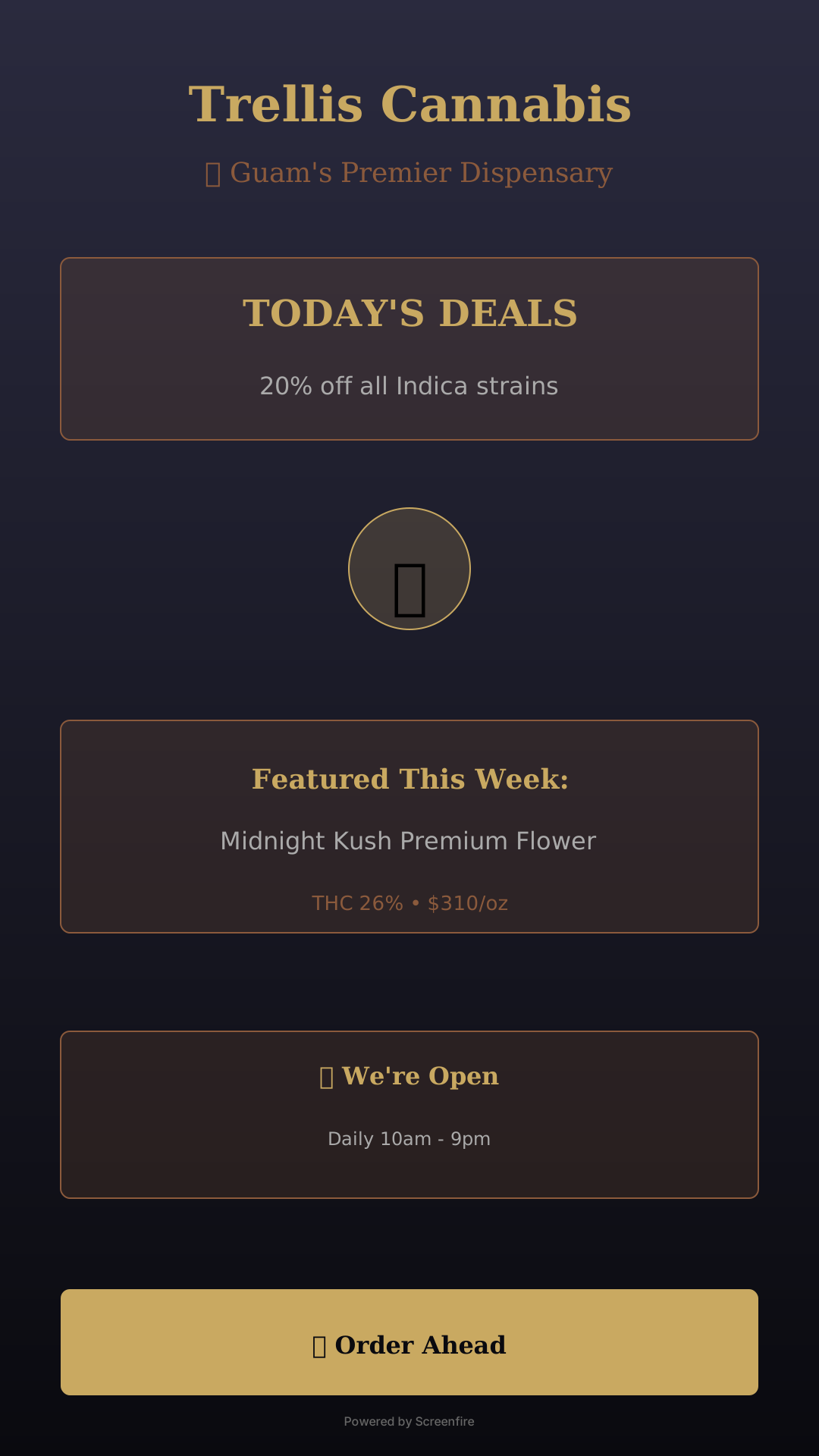
Trellis Cannabis
window display
Built for the way you actually work
🌿
Live menu boards
Strains, THC %, prices, dotted-leader layout that reads across the room. Edit anywhere, live everywhere.
🪪
Door check-in queue
A tablet at the door registers walk-ins and sets expectations while budtenders work the counter.
🌙
After-hours window
A portrait screen in the window sells your next drop at 2 AM with a QR to your deals list.
📱
QR on every layout
Loyalty signups, deal alerts, pre-orders — every screen converts, not just decorates.
📴
Survives the Wi-Fi
Screens cache everything. A power blink never leaves your menu board dark during a rush.
🔗
CannaPulse-ready
Built by the team behind CannaPulse — live market and menu data plug in as it rolls out.
Fair questions
▸Is cannabis content actually allowed?
Yes. This is built by Tribe Apps, the makers of CannaPulse — cannabis retail is a first-class use case here, not a tolerated one.
▸How fast can I change a price or 86 a strain?
Seconds. Edit on your phone; every board in the shop updates live — no sync buttons, no USB sticks, no reboots.
▸What hardware do I need?
Whatever you already have. Any TV, tablet, or kiosk with a browser becomes a managed display in about a minute.
Light your first screen today.
The trial is free for seven days and takes about a minute to start. No card, no sales call — or talk to us first if you'd rather.