Digital signage · zero hardware
Any glass with a browser is your billboard in sixty seconds.
No player boxes. No HDMI dongles. No IT visit. Open a URL on any TV, tablet, or kiosk, claim the screen, and run your whole fleet from your phone.
The “live display” link is real — it’s the same player your screens would run.
Built for
Lobby, Wi-Fi, breakfast, checkout — the questions the desk answers all day
Every one of those is a finished board you can edit — not a blank screen and a manual.
Solving the pain we live with — It is the display engine behind every screen at LeashLife, CannaPulse, Chubba Wubba’s, and Tribe Apps HQ. Built because we needed this — running in production today.
Not a feature list. Actual problems.
🚪
The driver can’t find your door
A house number that’s invisible from the street at night, a buzzer nobody mentioned, an entrance around back. A screen in the window says it plainly — unit, buzzer, which door — visible from the car, every time, without anyone repeating it over the phone.
☎️
“Are you open?”, forty times a day
The call that pulls someone off the floor to say what a screen could already be saying — hours, whether there’s a table, whether booking is even open right now. Live status on the glass answers it before the phone rings.
Lit in three steps
1
Open the URL
On the TV, tablet, or kiosk itself — the browser it already has is the player.
2
Claim the glass
Arrow through your channels right on the screen, tap “Set this display,” give it a name.
3
Run it from anywhere
Change menus, prices, promos from your phone. Every screen updates in seconds.
Built like a control center, priced like an app
🌐
Zero hardware
The browser your TV already has is the player. No boxes to buy, flash, mail, or replace.
⚡
Sixty-second setup
Open the URL on the glass, arrow to a channel, tap “Set this display.” Claimed, named, live.
📡
Live everywhere
Change a price on your phone and every screen updates in seconds. No sync buttons, no waiting.
🎨
Brand-deep templates
Menus, check-ins, promos, coming-soons — each themed to your brand, not clip-art.
📱
QR on every layout
Every screen carries a branded QR code, so your displays convert instead of just decorating.
📴
Survives the Wi-Fi
Screens cache their content and app. A reboot without internet boots back to the last-good loop.
Built for your industry
Screenfire grew up inside real businesses. Pick yours — the examples below change with it.
Screens for restaurants
The menu board that never needs a ladder
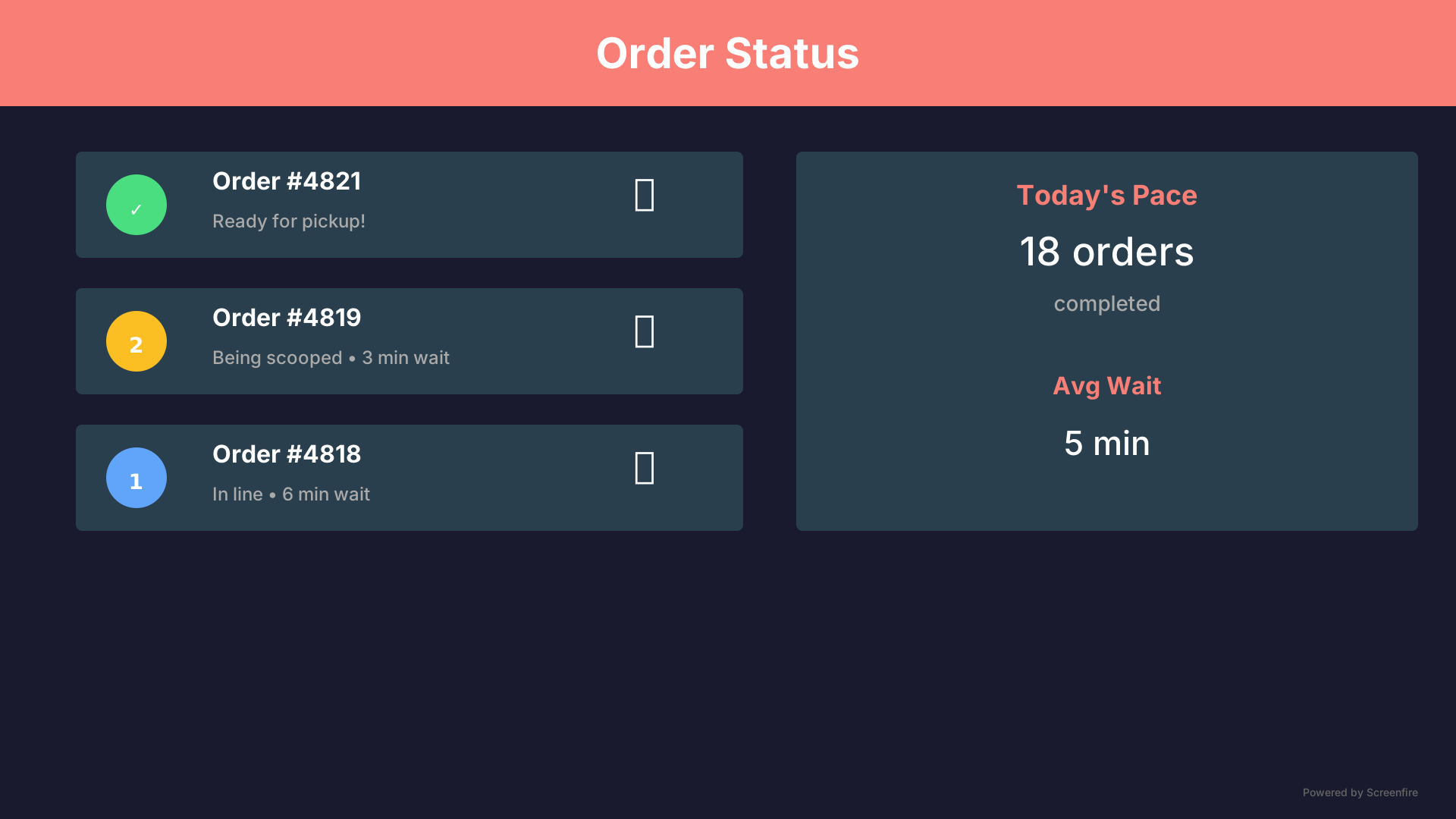
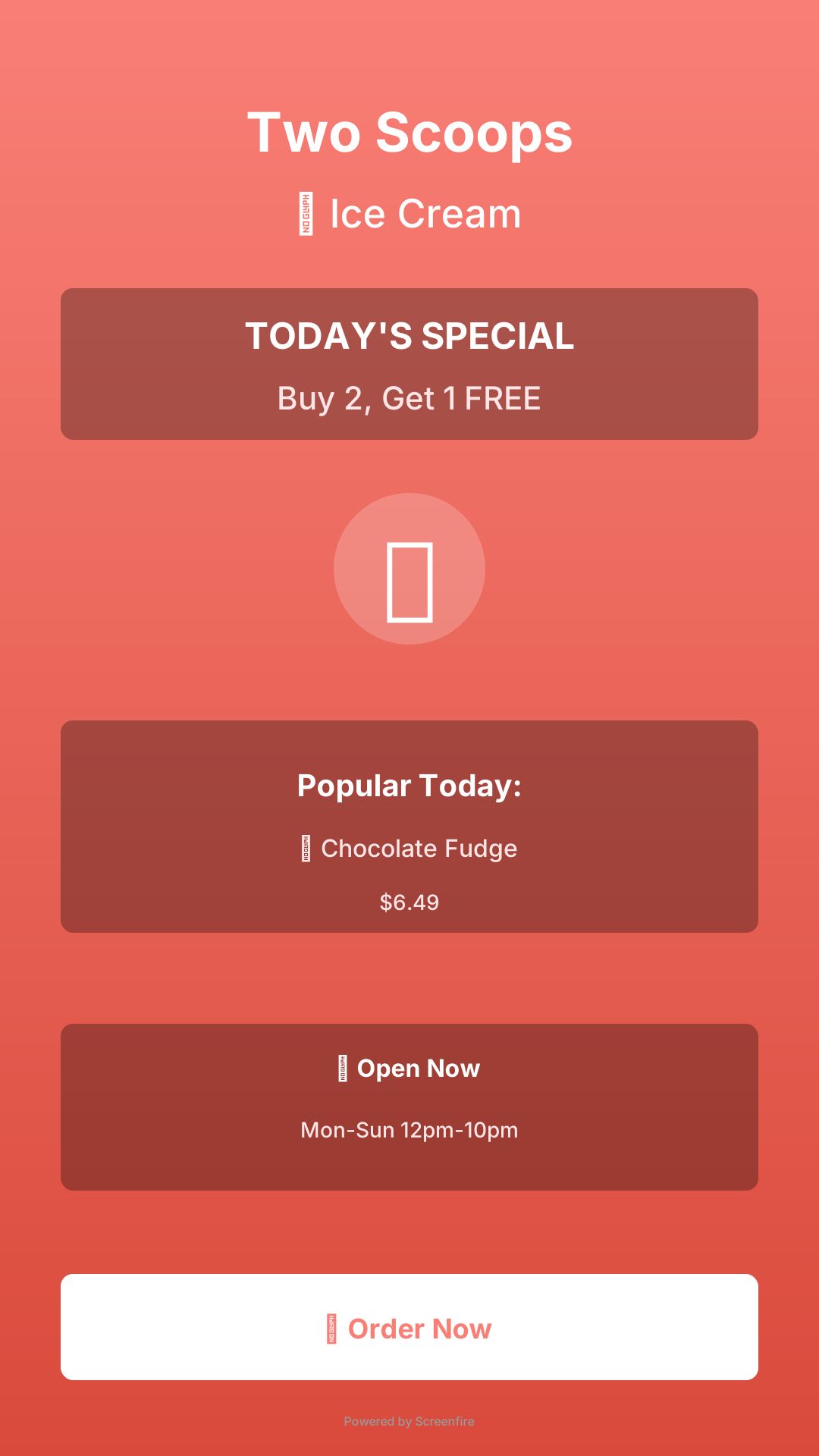
QSRs, cafés, scoop shops, food trucks: your menu is your best salesperson and your biggest bottleneck. It puts it on any TV you own and hands the marker to your phone — change a price, 86 an item, or launch the special of the day in seconds.
Menu boards, order status and window promos, running in real shops today.
Screenshots showing how an ice cream shop uses Screens for menu boards and order status. Tribe Apps runs the same screens in its own venues too.

Two Scoops
menu board
Two Scoops
order status
Two Scoops
window promo
Pricing that fits on a sticky note
Start free, grow when the screens do. Annual pays for ten months and gets twelve. Every paid plan starts with a 7-day free trial — nothing is charged until day 8, and cancelling before then costs nothing.
A board is one thing you make — a menu, a window promo, a schedule. One screen can show several through the day, and several screens can show the same one. You pay for boards, not televisions.
Trial
$0
7 days
Twenty boards free for your first seven days — enough for the whole building. After that, upgrade to a paid plan.
Solo
$6
per board / mo
or $60/yr — 2 months free
Badge-free boards, every channel type, add them one at a time.
Storefront
$29
per location / mo
or $290/yr — 2 months free
Ten boards in one location — menus, windows, lobbies, all of it. Past ten, $3 a board.
Multi-brand
$19
per location / mo · runs 3+
or $190/yr per location — 2 months free
Storefront at volume: every brand and location in one Studio. From three locations.
Founding businesses onboarding now — self-serve checkout is days away; until then the button above reaches a human in minutes.
Built for our lineup. Opening to yours.
These run every Tribe Apps screen in production today. Founding businesses get white-glove onboarding and founding terms locked for life.
Join the founding businessesQuestions owners actually ask
▸Can I put screens in my business?
Yes — right now. Start a free 7-day trial — twenty boards, no card — in about a minute, or pick a paid plan and your studio opens the moment checkout clears. No sales call, no waiting list. We run the Tribe Apps lineup’s own screens in production, so you’re getting the tool we depend on daily.
▸What happens right after I pay?
You land on a setup page, pick a PIN, and your studio is open — usually under a minute from card to first screen. Nothing is emailed to you and nobody has to approve anything.
▸What hardware do I need?
Anything with a modern browser: a smart TV, a Fire TV/Chromecast browser, an old iPad, a kiosk, a laptop plugged into a monitor. If it opens a web page, it’s a screen.
▸What happens if the internet drops?
The screen keeps looping its last content. Even a power cycle while offline boots back into the cached loop.
▸Can I cancel or change plans?
Any time, yourself — Stripe’s customer portal handles upgrades, downgrades, and cancellations. No email to us, no retention gauntlet.
▸Can I run more than one business on it?
Yes — that’s the point. Brands are folders; every screen belongs to one, and you can retheme a whole building in one tap.
Stop fighting with your screens.
One minute to claim a display. One phone to run them all. No hardware, no vendor, no waiting. Setup takes about a minute, and cancelling anytime is instant.